When Google LLC flipped the switch on Android 17 yesterday, it wasn’t just another incremental update. It was a statement. The stable release hit most supported Pixel devices on June 16, 2026, bringing a suite of features that blur the line between operating system and personal assistant.
The rollout coincides with the June 2026 Pixel Feature Drop, but the real story is what’s under the hood. After months of beta testing—starting with the platform-stable Beta 3 in March 2026—Google has finally delivered a version of Android that feels less like a phone OS and more like an intelligent layer over your digital life. For users, this means fewer taps, smarter inputs, and tighter control over who sees their data.
AI That Actually Does the Work
Here’s the thing about mobile AI: it’s been all hype and little utility for years. Not anymore. Android 17 introduces Gemini Intelligence, a system-level agent capable of handling complex, multi-step tasks across different apps. Think ordering dinner, booking a ride, and adding it to your calendar—all without leaving the home screen.
PhoneArena reports that while Gemini Intelligence is currently trained on food delivery and rideshare scenarios, its potential "goes well beyond" basic bookings. Initially, this feature will be exclusive to select Google Pixel and Samsung Galaxy smartphones. But don’t worry if you’re not holding one of those yet; Google plans to expand access to a wider range of Android devices later this year.
Then there’s Rambler, a new feature in Gboard. Instead of fumbling with voice-to-text that captures every "um" and "like," Rambler listens to natural speech, filters out filler words, and even lets you backtrack mid-sentence. The result? A polished message ready to send. It’s the kind of quality-of-life improvement that makes you wonder why it took so long.
Multitasking Gets a Makeover
If you’ve ever tried to multitask on Android, you know the struggle. Floating windows were limited to messaging apps, forcing you to choose between checking a text and browsing the web. Android 17 changes that with App Bubbles.
Now, any app can become a bubble. Long-press an icon, tap the new button in the top-left corner, and poof—it’s a movable chat-head-style window. You can drag it around, minimize it, or close it by dragging downward. For tablet and foldable users, a new Bubble Bar in the bottom-right corner helps manage multiple floating apps without cluttering the screen. It’s simple, intuitive, and surprisingly powerful.
Privacy and Security Tighten Up
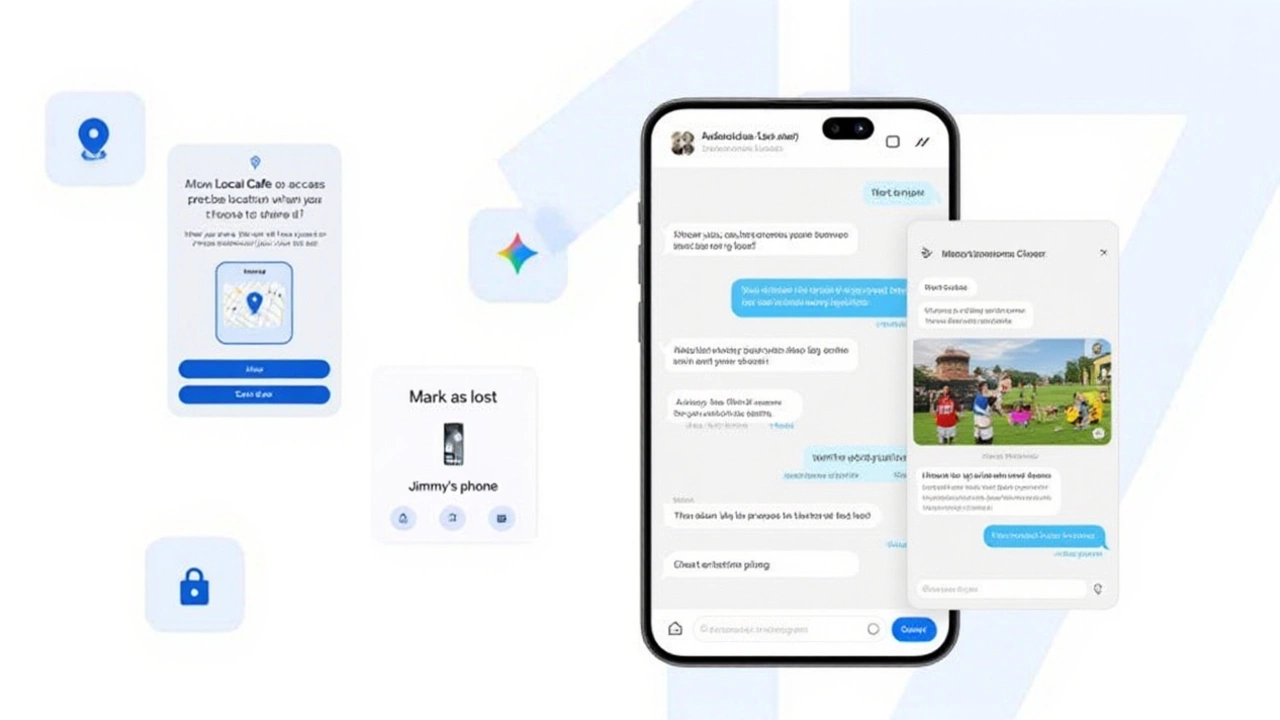
Privacy isn’t just a buzzword in Android 17; it’s baked into the permissions system. When an app requests location access, you’ll now see explicit checkboxes for "Precise" or "Approximate" location. There’s also a new one-time precise location button, granting access for a single use before requiring permission again. This granularity gives users unprecedented control over their physical data.
Contact sharing gets similar treatment. Instead of handing over your entire address book, you can share only selected contacts with specific apps. And if you lose your phone? The Find Hub feature now requires biometric authentication to "Mark as lost," preventing thieves from disabling tracking even if they know your passcode.
9to5Google also highlights Intrusion Logging, a new security capability that tracks unauthorized access attempts. While details are sparse, the inclusion of Vulkan 1.4 graphics API support suggests Google is preparing Android for heavier, more secure workloads.
Creator Tools and Visual Tweaks
Content creators have reason to celebrate. Android 17 partners with Meta Platforms, Inc. to bring Ultra HDR photo capture, video stabilization, and Night Sight processing directly into Instagram. Meanwhile, Adobe Premiere for Android launches later this summer with exclusive mobile editing templates.
For casual creators, Screen Reactions adds a green-screen-like overlay to screen recordings, letting you insert selfie video commentary. Combine that with the redesigned floating pill-shaped screen recorder, and you’ve got a toolkit that rivals dedicated desktop software.
Visually, Android 17 keeps things subtle. Widget panes now feature blurred backgrounds matching Quick Settings, and a new toggle lets you hide app names on the home screen. The Easter egg? A spaceship mini-game triggered by tapping the Android version number repeatedly. Yes, really.
What’s Next for Android Users?
The immediate impact is clear: Pixel users get a smoother, smarter experience starting today. But the ripple effects extend further. Samsung Galaxy flagships released after 2023—and mid-range models from fall 2024 onward—are expected to receive Android 17 soon. However, full Gemini Intelligence functionality may arrive later on non-Google hardware.
Experts suggest this phased approach allows Google to refine AI agents before widespread deployment. As one analyst noted, "Android 17 marks the shift from reactive OS design to proactive assistance." Whether that translates to better battery life (thanks to new app memory limits) or just more convenience remains to be seen.
Frequently Asked Questions
Which Pixel devices get Android 17 first?
The initial rollout covers Pixel 6 through Pixel 10 series, including Pro, XL, Fold, Tablet, and 'a' variants. Users can manually check for updates via Settings > System > System update if the OTA package hasn't arrived automatically.
Will my Samsung Galaxy phone get Android 17?
Yes, Samsung Galaxy flagships released after 2023 (like the S23 series) and mid-range phones from fall 2024 onward are expected to receive the update. However, advanced AI features like Gemini Intelligence may debut exclusively on select models before expanding.
What is Gemini Intelligence?
Gemini Intelligence is an AI agent integrated into Android 17 that handles multi-step tasks across apps, such as ordering food or booking rides. It initially launches on select Pixel and Galaxy devices, with broader availability planned for later in 2026.
How do App Bubbles improve multitasking?
App Bubbles allow any app to run in a floating, movable window. Unlike previous versions limited to messaging apps, Android 17 lets you convert any app into a bubble, enabling seamless switching between tasks without losing context.
Are there new privacy controls in Android 17?
Yes, Android 17 introduces granular location permissions (precise vs. approximate), one-time precise location grants, and selective contact sharing. These changes give users finer control over what data apps can access, enhancing overall privacy.